Quillmark


Quillmark is a schema-driven document framework. You define a document format once, as a quill: a schema for its fields and a layout for its pages, either a Typst plate or an existing PDF form. Authors then write plain Markdown, and Quillmark validates each document against its quill and renders it to PDF, SVG, or PNG.
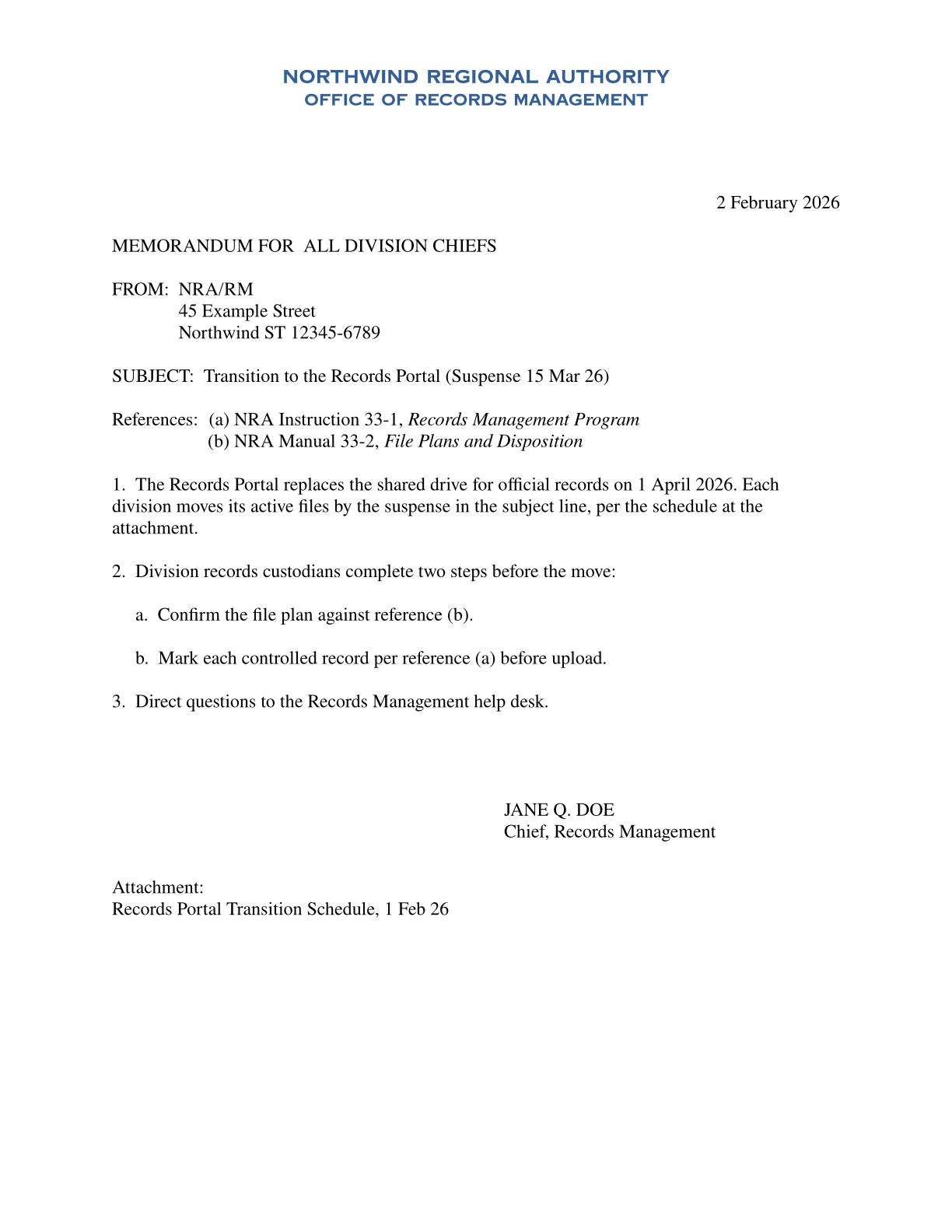
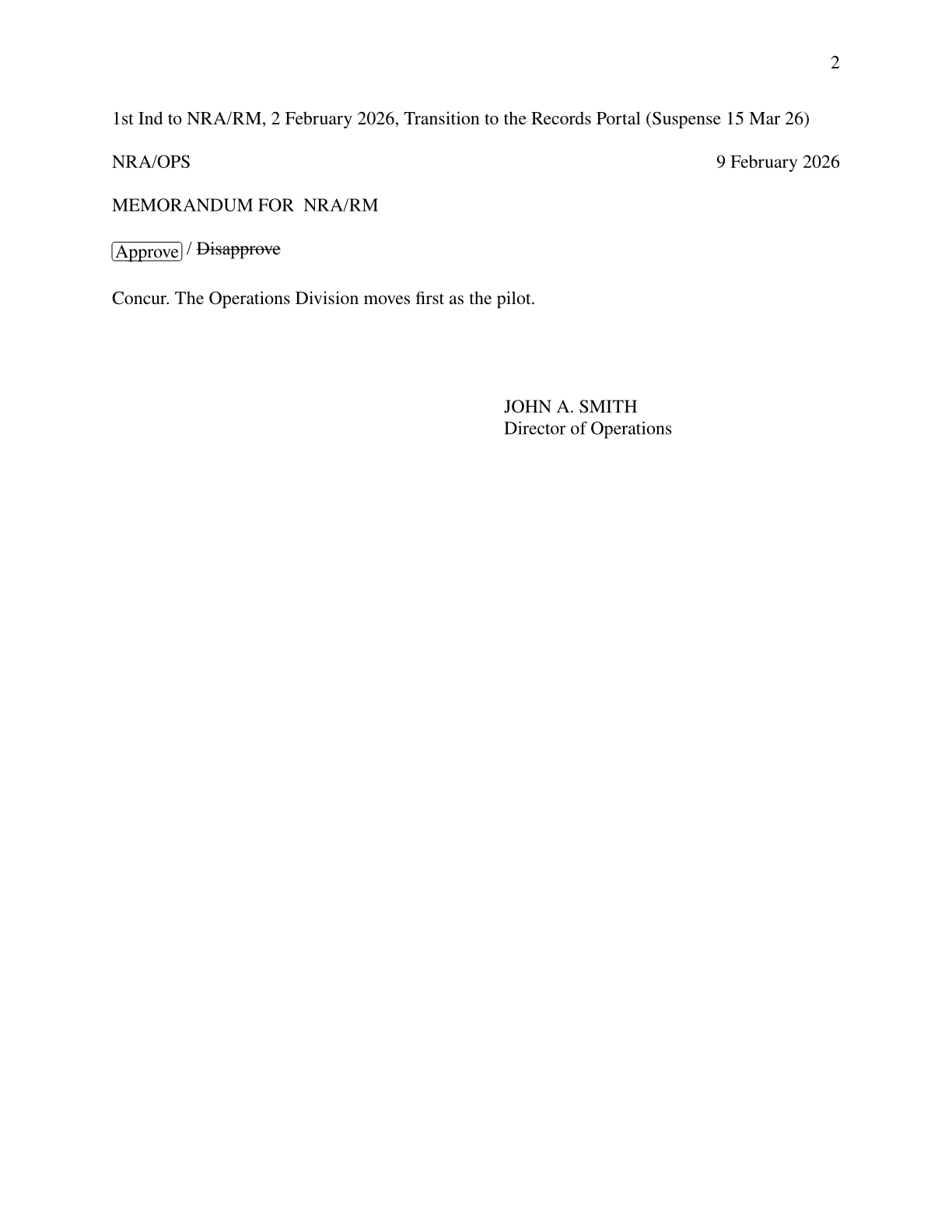
The Markdown behind these pages, rendered through the usaf_memo quill
~~~
$quill: usaf_memo
letterhead_title: NORTHWIND REGIONAL AUTHORITY
letterhead_caption:
  - OFFICE OF RECORDS MANAGEMENT
letterhead_seal: ""
memo_for:
  - ALL DIVISION CHIEFS
memo_from:
  - NRA/RM
  - 45 Example Street
  - Northwind ST 12345-6789
subject: Transition to the Records Portal (Suspense 15 Mar 26)
references:
  - "NRA Instruction 33-1, *Records Management Program*"
  - "NRA Manual 33-2, *File Plans and Disposition*"
attachments:
  - Records Portal Transition Schedule, 1 Feb 26
signature_block:
  - JANE Q. DOE
  - Chief, Records Management
date: 2026-02-02
~~~

The Records Portal replaces the shared drive for official records on 1 April 2026.
Each division moves its active files by the suspense in the subject line,
per the schedule at the attachment.

Division records custodians complete two steps before the move:

- Confirm the file plan against reference (b).
- Mark each controlled record per reference (a) before upload.

Direct questions to the Records Management help desk.

~~~
$kind: indorsement
from: NRA/OPS
for: NRA/RM
signature_block:
  - JOHN A. SMITH
  - Director of Operations
action: approve
date: 2026-02-09
~~~

Concur. The Operations Division moves first as the pilot.
Quillmark is not affiliated with or endorsed by the Department of Defense, the Department of the Air Force, or any Military Service.
Try it in the browser: edit a document and watch the page re-render.
Pre-1.0
The API changes between minor releases, and each breaking release ships a guide under Migration. A document saved as versioned JSON carries a version tag, and later releases migrate supported past versions forward on read.
Choose your path
-
Writing documents? You write Markdown documents in the document format a quill defines.
→ Markdown Syntax -
Building quills? You create quills, the document formats that control rendering.
npx quillkit@latest initstarts one, and studio shows its form beside the live page.
→ Creating Quills · quillkit & studio -
Integrating into an app? You use Quillmark via Python or JavaScript.
→ Quickstart · Integrating Quillmark -
Using the CLI? You render and validate from the command line.
→ CLI Reference -
Using Rust? API documentation is on docs.rs.
New to the words? The Glossary defines each one in a line or two.